• Download the Constitution of Pakistan
  • Advertise
Monday, December 8, 2025
  • Login
NEWSLETTER
ECONOMY
  • Business
  • Education
  • Entertainment
  • Finance
  • Health
  • Life & Style
  • Politics
  • Sports
  • Technology
No Result
View All Result
  • Business
  • Education
  • Entertainment
  • Finance
  • Health
  • Life & Style
  • Politics
  • Sports
  • Technology
No Result
View All Result
ECONOMY
No Result
View All Result
Home Technology

How to add unsupported cards to Apple Wallet

by News Publishing
November 13, 2023
in Technology
Reading Time: 2 mins read
0
How to add unsupported cards to Apple Wallet
Share on FacebookShare on TwitterLinkedinWhatsapp

iPhone users now have the convenience of storing reward cards and membership information directly in Apple’s Wallet App, expanding its functionality beyond credit and debit card storage. Initially designed for credit and debit card information, the Wallet App has been enhanced to accommodate a broader range of cards.

Over the years, many individuals have accumulated numerous membership and reward cards, often leading to challenges in finding the right card when needed. These cards are frequently misplaced, causing inconvenience. To address this issue, iPhone users can streamline their card management by adding these cards to the Wallet App.

This feature allows users to save time that would otherwise be spent searching for cards in physical wallets, purses, or bags. By utilizing the Wallet App, individuals can efficiently organize and access their membership and reward cards, making transactions and redemptions more convenient.
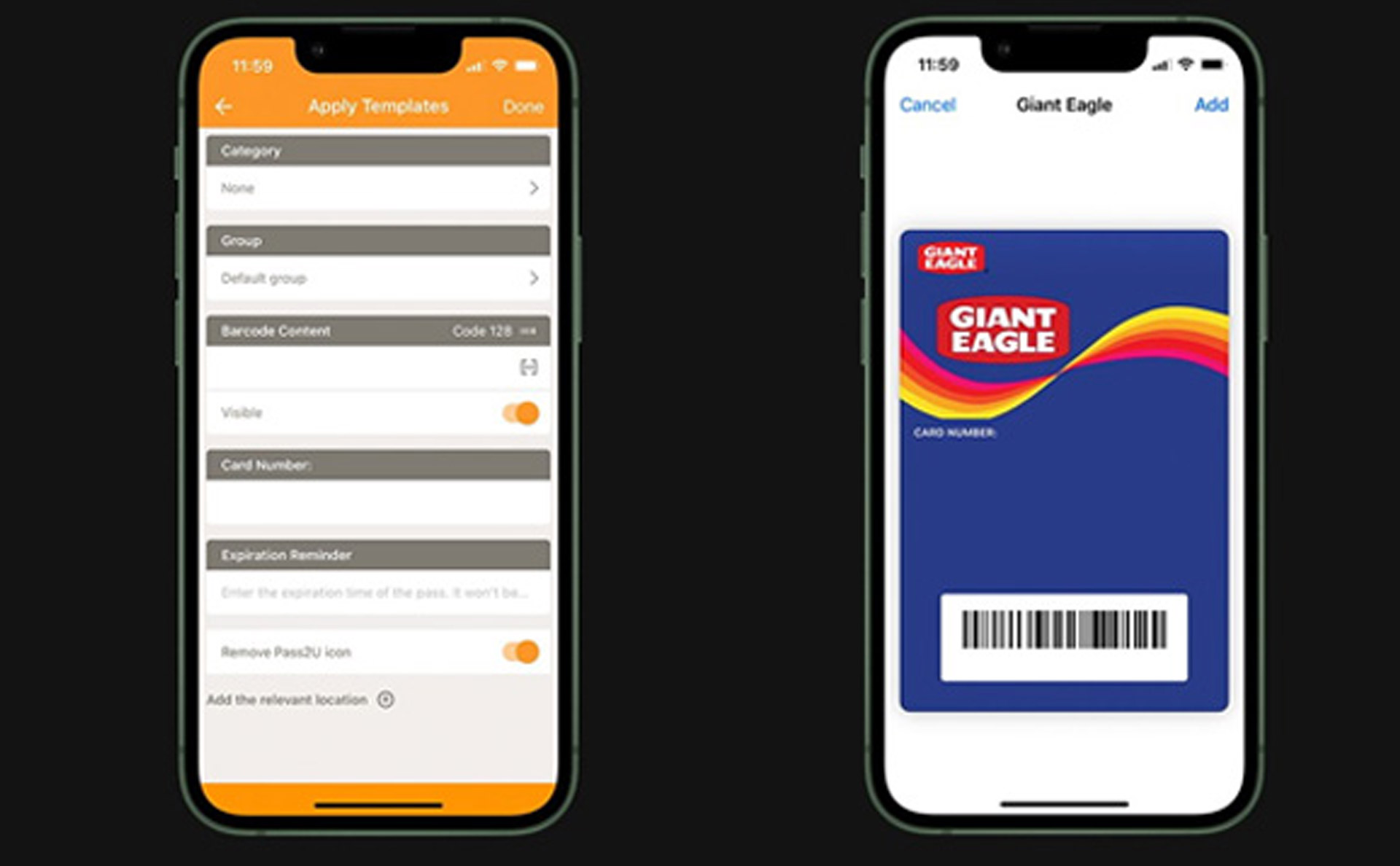
How to add unsupported cards to Apple Wallet

How to add a rewards card or membership card to iPhone

  1. Download thePass2U app on your iPhone
  2. Launch Pass2U
  3. At the top, tap the Search button
  4. Type in the name of the rewards card, if you have one
  5. Find a template you like and tap it
  6. Tap Next
  7. Fill out the fields required
  8. Scan your card’s barcode using the Scan feature
  9. When finished, tap Done

If you purchase the pro version of Pass2U, you can create your own templates.

Tags: Apple's Wallet Appcards to Apple Wallet

News Publishing

Related Posts

Phoenix glasses Meta

Meta Delays Phoenix MR Glasses to 2027

by Anum Arif
December 6, 2025
0

Meta has officially delayed the launch of its highly anticipated mixed reality glasses, code-named Phoenix, pushing the release from late...

Ronaldo Perplexity

Ronaldo backs Perplexity AI with CR7 digital hub.

by Anum Arif
December 5, 2025
0

Football legend Cristiano Ronaldo has entered the tech world in a major way, announcing a high-profile investment and brand partnership...

Binance Crypto vision

Pakistan Sets Bold Crypto Vision at Dubai Blockchain Summit

by Anum Arif
December 5, 2025
0

Bilal Bin Saqib, chairman of the Pakistan Virtual Assets Regulatory Authority (PVARA), presented an ambitious roadmap for Pakistan’s digital-asset future...

Youtube AUS

YouTube Blocks Under-16 Users in Australia

by Anum Arif
December 3, 2025
0

YouTube has announced that it will block users under the age of 16 in Australia, complying with a landmark social...

Samsung Multi Fold smartphone

Samsung Launches First Multi-Fold Smartphone, Galaxy Z TriFold

by Anum Arif
December 2, 2025
0

SEOUL (Reuters) – Samsung Electronics on Tuesday unveiled its first multi-folding smartphone, the Galaxy Z TriFold, signaling the company’s push...

Netflix

Netflix Ends Casting Support on Newer Devices

by Anum Arif
December 1, 2025
0

Netflix has disabled the option to cast TV shows and movies from smartphones to most modern streaming devices, a change...

Next Post
'Pakistan cricket has collapsed', Ramiz Raja blasts PCB after World Cup exit

'Pakistan cricket has collapsed', Ramiz Raja blasts PCB after World Cup exit

About Us

Economy.pk is a source of economic, political, business, finance, health and sports updates.

Important Categories

  • Business
  • Education
  • Entertainment
  • Finance
  • Health
  • Life & Style
  • Politics
  • Sports
  • Technology

Social Media

  • Facebook
  • Instagram
  • Twitter
  • Linkedin
  • YouTube
  • Linkedin
  • TikTok
  • WhatsApp
  • About
  • Advertise
  • Careers
  • Contact

© 2024 Economy.pk - Web Development by Digital Otters

Welcome Back!

Login to your account below

Forgotten Password?

Retrieve your password

Please enter your username or email address to reset your password.

Log In
No Result
View All Result
  • Business
  • Education
  • Entertainment
  • Finance
  • Health
  • Life & Style
  • Politics
  • Sports
  • Technology

© 2024 Economy.pk - Web Development by Digital Otters