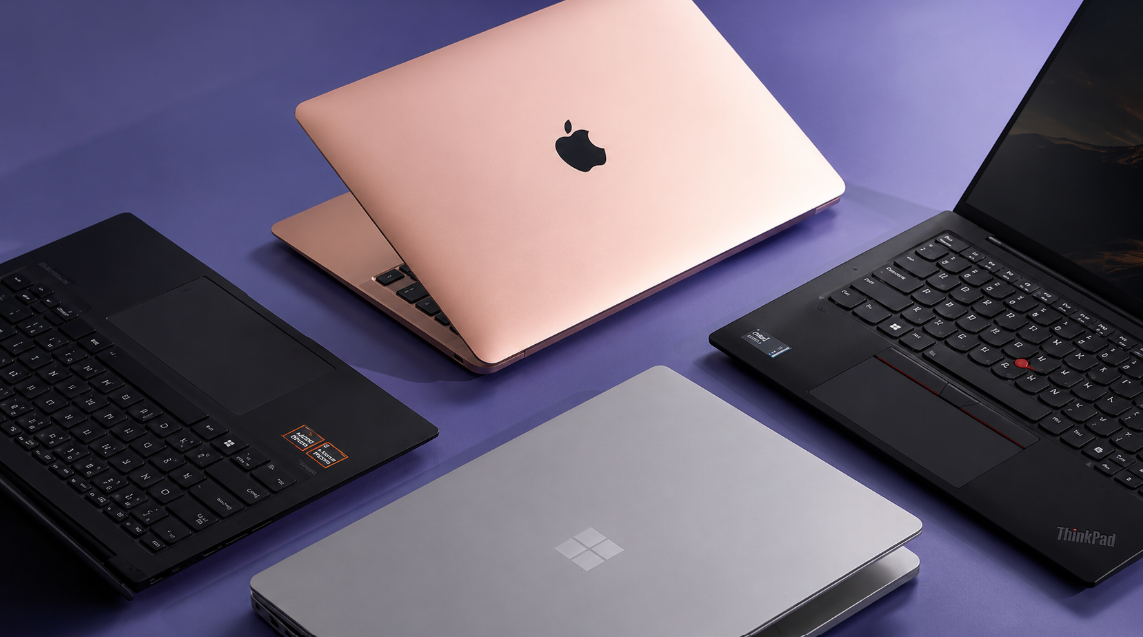
Picking a laptop for school isn’t just about specs, it’s about matching the machine to what you’ll actually be doing: writing papers, joining video calls, running the odd design or coding project, and surviving a full day of classes without hunting for an outlet. Here are ten solid picks across different budgets and needs.
1. ASUS Zenbook 14 OLED
This is the best all-around pick for most students, regardless of major. It has a genuinely stunning OLED screen, a fast Intel Core Ultra 7 chip, 16GB of RAM, and over 12 hours of battery life, all in a body under 1.4 kg. Reading, watching lecture recordings, and doing light design work all look great on this display. If you can only buy one laptop and want it to handle everything, this is it.
2. Lenovo ThinkPad X1 Carbon Gen 13
Built for STEM and engineering students who run CAD software, MATLAB, or coding environments all day. It comes with a Core Ultra 7 chip and can be configured with up to 32GB of RAM, so it won’t choke on heavier workloads. The keyboard is one of the best in the business for long typing and coding sessions, and the whole machine is military-grade tested for durability, meaning it can handle campus life without falling apart.
3. Apple MacBook Air (M3, 13.6″)
A favorite for students who want reliability without fuss. It has a long battery life, a light build that’s easy to carry between classes, and handles everyday tasks, writing, browsing, streaming, and light editing, without slowing down. If you’re already in the Apple ecosystem with an iPhone or iPad, it syncs smoothly with those too.
4. Dell XPS 13 (2026)
A slim, well-built Windows laptop that regularly goes on sale for students, sometimes with hundreds of dollars off. It has a sharp display and enough power for standard coursework, browser tabs, note-taking apps, and video calls, without any lag. It’s a strong pick if you want a premium feel without paying full premium price.
5. HP Fortis Flip (11.6″ 2-in-1)
A rugged, budget-friendly 2-in-1 built to survive drops, spills, and general student clumsiness. It runs Windows 11 Pro and folds into tablet mode, which is handy for note-taking with a stylus during lectures. It won’t win any speed contests, but for basic schoolwork and durability, it’s a smart, low-cost choice.
6. Lenovo IdeaPad Flex (14″, 2-in-1)
Another flexible option with a touchscreen that folds all the way back, useful for students who like to annotate PDFs or sketch notes directly on the screen. It comes with a Core 5 processor and 8GB of RAM, enough for typical coursework, web research, and streaming lecture videos.
7. Acer Chromebook (MediaTek Kompanio 520)
If your coursework mostly lives in Google Docs, Gmail, and browser-based apps, a Chromebook is hard to beat on price and simplicity. This one is built specifically with students in mind, lightweight, long battery life, and built to survive daily backpack life. It’s not for heavy software, but for writing, research, and online classes, it covers the basics well.
8. MSI Modern 14
A sleek, understated laptop with an Intel Core 7 processor, 16GB of RAM, and a full 1TB SSD, which is a lot of storage for the price. It’s a good middle-ground option if you want more power than a basic laptop but don’t need the premium price tag of something like a MacBook or XPS.
9. Acer Aspire Series (Ryzen 5, budget pick)
For students who need real multitasking power, running several browser tabs, a word processor, and a video call at once, without spending a fortune, this is a solid budget performer. It runs on an AMD Ryzen 5 chip with 8GB of RAM and an SSD, which keeps things fast enough for daily use.
10. HP 14-dq (Budget Windows Laptop)
The most affordable option on this list, built for students who just need something simple for typing papers, browsing, and joining online classes. It runs Windows 11 in S Mode with an Intel Celeron processor. It’s not built for heavy multitasking or creative software, but for basic coursework on a tight budget, it gets the job done.
What to Actually Look For
Before you buy, keep these basics in mind:
Processor and RAM: An Intel Core i5 or AMD Ryzen 5 with at least 8GB of RAM handles most coursework smoothly. Anything less will feel sluggish once you open multiple tabs or apps at once.
Battery life: Aim for at least 8 hours so you’re not stuck near an outlet between classes.
Portability: A 13 to 15-inch screen and a weight under 4 pounds strikes the best balance between usability and comfort carrying it around campus.
Storage: 256GB SSD or more keeps things fast and gives you room for files, projects, and software.
Final Thoughts
Most students don’t need the most expensive laptop on the shelf, they need one that matches how they actually work. If you’re writing papers and browsing, a Chromebook or budget Windows laptop will do fine. If you’re coding, designing, or running engineering software, it’s worth spending more on RAM and processing power. Either way, there’s a solid option on this list for every budget in 2026.