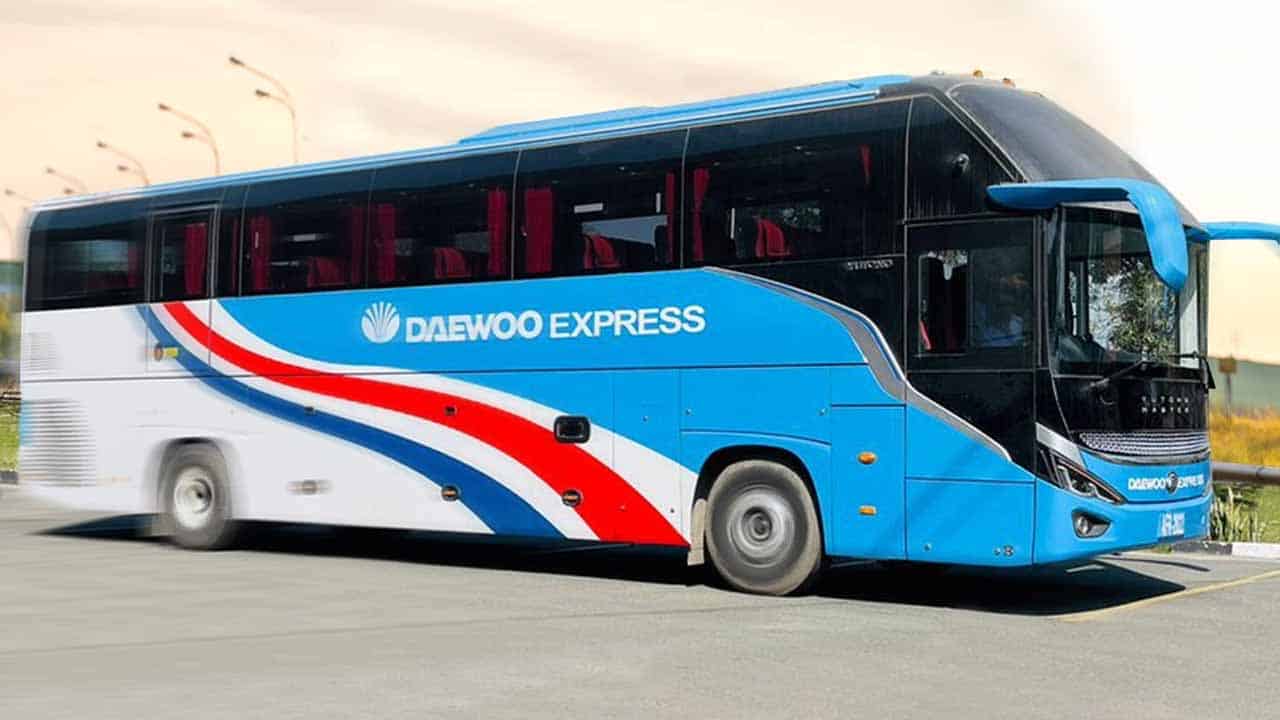
Daewoo Express:
Daewoo Express began operations in the late 1990s, before Pakistan had even heard of a luxury bus service. It is Pakistan’s first and largest bus transportation service. Daewoo Express launch Daewoo Online Booking.
When the country’s 3G and 4G mobile networks introduced the advancement of technology, they also launched their online ticketing. Tickets can be purchased online for all routes that Daewoo Express travels. They accept credit and debit cards as well as Jazzcash, Easy Paisa, and other payment options.
Daewoo Express Online Booking System:
You can now buy Daewoo bus tickets online through their mobile app and website portal if you are a frequent traveler or a regular user of Daewoo Express Bus Service and want to avoid standing in line for hours to buy bus tickets to get to your destination.
Daewoo Express Online Booking from Mobile Apps:
- First download the Daewoo Express app before creating an account.
- You must enter your mobile number while creating an account on the application.
- You’ll receive a verification code at the mobile number you provided.
- When you enter the code in the app, a new page will open for you to enter your name, CNIC, email, and a password of your choice.
- If you omit your date of birth and address, your registration will be successful.
- Select the Buy Tickets option after creating your account to purchase your Daewoo Express ticket.
- Choose the city from which you want to depart before deciding on your final destination.
- Choose the bus service category for which you want to go.
- Select travel Date.
- Then Click the option “Find Bus”.
- When you click “find bus,” a choice of times will appear. Choose the departure time in which you want to travel.
- Choose your seat numbers, then move forward.
- A confirmation booking number with all the booking information will be sent to your mobile device after a successful booking.
- Click again to finish your payment.


Daewoo Express Online Booking from Daewoo.com.pk website:
- First register in order to purchase tickets from the Daewoo.com.pk website.
- Click the Purchase Ticket option once your account has been successfully created.
- Choose your departure city before deciding on your destination and departure date. The symbols for input must be entered.
- Pick the time that suitable for you to travel.
- Select your seat, then fill out the captcha that is displayed.
- After that, click on “get schedule”.

- In the next window, you will see the availability of all the buses and seats.
- Click on “book now” to reserve your desired seat.

- You will then be asked to register for a Daewoo account. To reserve your seats if you already have an account, enter your cellphone number and password.

- If you don’t have an account, then click on “sign up” and To register, you must provide your name, CNIC, mobile number, date of birth, and a password of your choice.

- Next, confirm your reservation and make your payment.
- You will receive a Daewoo ticket booking number that is good for the next 15 minutes
- Make the payment within that time limit.
- Your reservation will be canceled if you don’t pay it within the time period.
- Confirmation booking number with all the booking information will be sent to your mobile device after a successful reservation.
Payment Procedure:
Following are the payment procedure through which you can pay the Daewoo
- Credit/Debit Card
- Jazz cash
- Easy Paisa

Credit/Debit Card:
Online payments for Daewoo Express can be made with debit and credit cards from any bank. When you reserve a seat using the Daewoo app and need to make a card payment, choose the card option, input your card number at checkout, and provide any other information needed without any concern because it is a secure method.
Jazz cash:
The nearest Jazz Cash Shop as well as your mobile account are additional payment options. When you reserve a seat and choose the jazz cash online payment option, two options will be presented to you. A mobile account will be the preferred choice, while voucher payments will be the second.
- Enter your jazz cash registered mobile number and the final six digits of your CNIC if you choose the mobile account option.
- If you choose the voucher payment option, a voucher number will be created; you will need to enter it in the “Online Voucher” option for your payment to be accepted.
Easy Paisa:
Both the nearest Easy Paisa Shop and your Easy Paisa Mobile Account are other options for making payments. When you reserve a seat, you will see two options when you choose the Easy Paisa option for online payment. A mobile account will be the preferred choice, and over-the-counter (OTC) will be the second.
- If you choose the mobile account option and then input your Easy Paisa registered mobile number, a popup will appear asking Telenor users to submit an MPIN while Easy Paisa App notifications will be sent to non-Telenor users.
- If you choose the OTC option, a token number will be created; you can input it in the “Online Payments” option to complete your purchase.
Fare and promo code:
Before making a reservation, you can view Daewoo’s bus prices by selecting the “Fare” option from the menu bar or by visiting Daewoo Express Fares.


They provide their customers discount codes that can be utilized to receive more discounts on tickets.
Daewoo Online Ticket Cancelation Rules:
- If the passenger does not show up at the ticketing counter to purchase a ticket, confirmed bookings may be canceled 15 minutes prior to the scheduled departure time. If there are seats available, latecomers will be accommodated on the same departure.
- Passengers without advanced reservations are urged to add their names to the waiting list and receive waiting numbers. According to the order of their waiting numbers, they will be accommodated if there are seats available.
- A 30% cancellation fee will be assessed to any passenger whose advance tickets are canceled prior to departure.
Method to Refund Daewoo Ticket:
If you initially request a refund from Daewoo Express, you have to provide the reason that Why you are canceling your ticket? You must then enter your booking information. Once the 30% has been deducted, your ticket will be canceled. For further information, you may also call the Daewoo Express helpline.
Daewoo Express is the most reliable, flexible, and top-ranked application. It offers its consumers a convenient and quick platform where they can receive ticket discounts. Booking tickets through the application and websiite is quite simple.
If you have any questions or would like more information, you may email the Daewoo customer service department at [email protected] or call them at the Daewoo phone number of 111-007-008 or 03041117008.